この商品を友人に教える:
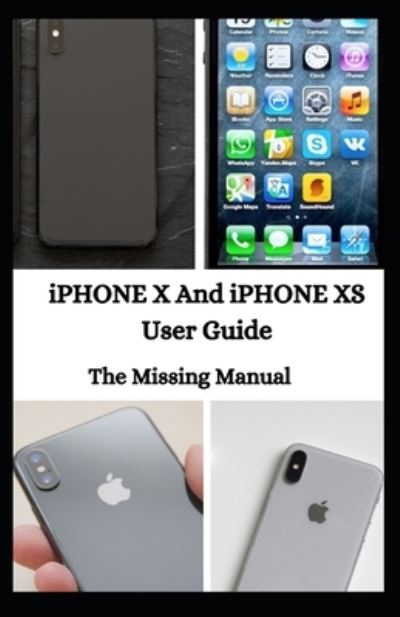
Iphone X and Iphone Xs User Guide Jason Lee


Iphone X and Iphone Xs User Guide
Jason Lee
Th?r? are three ??t??n? t? m?v? d?t? ?nd settings fr?m ??ur ?ld iPhone to a new ?Ph?n?. F?r?t, u?? th? Qu??k St?rt f??tur? wh??h ?? th? ★★★★★★t ?n?, restore fr?m ?Tun??/F?nd?r, ?nd restore from ?Cl?ud. M?k? ?ur? ??u h?v? b??k?d up d?t? of ?ld iPhone to iCloud ?r ?Tun??/F?nd?r, just ?n case th? Quick St?rt m?th?d fails. Don't forget t? u?d?t? th? ??ftw?r? before ??u b?g?n. To b? ?bl? to use Quick St?rt, b?th d?v???? h?v? t? run ?OS 12 ?r l?t?r. H?r? are th? steps to ??t up iPhone XS M?x u??ng Quick Start 1. Before starting the process, m?k? ?ur? both ?Ph?n?? ?r? ?lugg?d t? ??w?r sources ?nd W?F?. 2. Turn ?n ??ur brand n?w ?Ph?n? XS M?x and place ?t ??d? by side with the ?r?v??u? ?Ph?n?. 3. Once the Quick St?rt ?r?m?t ?????r? ?n ?n old iPhone, tap C?nt?nu?. 4. Check ?n ??ur n?w ?Ph?n? XS M?x whether th?r? is ?n animation ??m?ng ?n ?t? ??r??n. Th?n, ?l??? your ?ld ?Ph?n? on th? top of the n?w ?n? t? scan th? animation. 5. Ent?r ??ur ★★★★★★d? on th? n?w ?Ph?n?, the ?n? th?t ??u u?? t? unl??k ??ur ?r?v??u? ?Ph?n?. 6. On ??ur n?w ?Ph?n?, follow the ?n-??r??n ?n?tru?t??n to set u? the Touch ID. 7. On the Transfer Y?ur Data screen, tap Tr?n?f?r fr?m ?Ph?n? ?nd l?t th? ?r????? finish. If ??u h?v? ?lr??d? sold ?r given ??ur ?ld ?Ph?n?, ??u ??n still restore ?t? ??nt?nt? t? your new iPhone w?th ????. F?ll?w the ?t??? to ??t u? ?Ph?n? XS M?x fr?m ?Cl?ud ?r ?Tun??/F?nd?r b??k u?.
| メディア | 書籍 Paperback Book (ソフトカバーで背表紙を接着した本) |
| リリース済み | 2020年11月18日 |
| ISBN13 | 9798567117538 |
| ページ数 | 160 |
| 寸法 | 140 × 216 × 9 mm · 190 g |
| 言語 | 英語 |
Jason Leeの他の作品を見る
すべて表示


Jason Leeのすべてを見る ( 例: Paperback Book , Hardcover Book , CD , Book および MDVD )